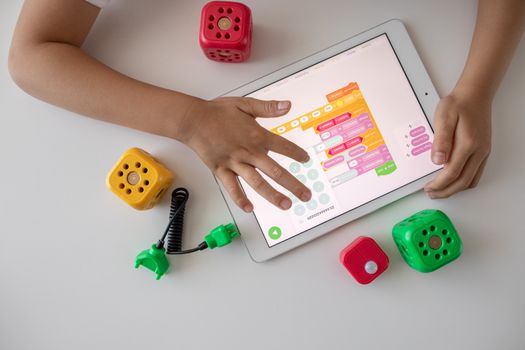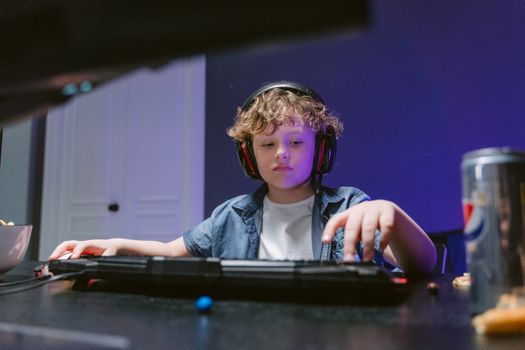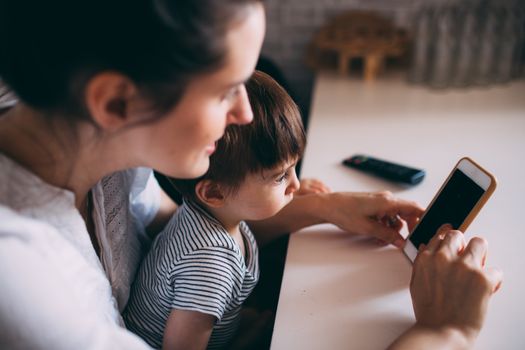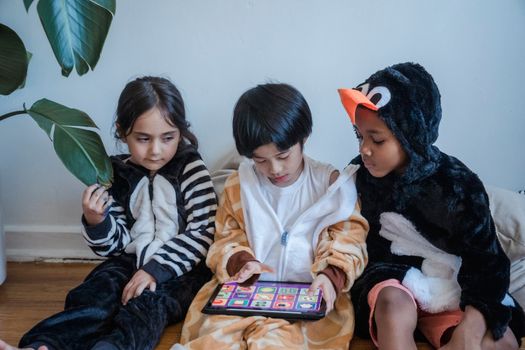
The digital age has transformed childhood in many ways, with video games now a central part of many kids’ lives. According to a 2023 Pew Research Center survey, 86% of teens in the United States play video games, and the global gaming market is estimated to reach $256 billion by 2025. While gaming can offer social, cognitive, and even educational benefits, many parents worry about screen time, exposure to inappropriate content, and the potential for gaming to interfere with academics or family life. If you’re a parent seeking actionable guidance, this article will offer a comprehensive overview of how to effectively monitor your child’s gaming time—balancing enjoyment, safety, and healthy habits.
Understanding the Modern Gaming Landscape for Kids
Before setting rules or limits, it’s vital for parents to understand the gaming environment their children inhabit. Today’s video games are more than simple pastimes; many are immersive social platforms, offering cooperative play, global competition, and in-game purchases. In fact, 70% of kids aged 8-17 play games online with friends, according to the Entertainment Software Association’s 2023 report.
Games are now accessible across devices—consoles, computers, tablets, and smartphones. This means that monitoring is no longer as simple as “turning off the console.” Additionally, genres vary widely: from puzzle and educational games to complex multiplayer online battle arenas (MOBAs) and open-world adventures. Each presents different monitoring challenges and opportunities.
.png)
Parents should familiarize themselves with the types of games their child plays, age ratings (like ESRB or PEGI), and whether the games have online interactions or in-game purchases. Free-to-play games, for example, often rely heavily on microtransactions, which can tempt kids to spend more time (and sometimes money) than intended.
Setting Clear and Consistent Gaming Boundaries
Effective monitoring begins with establishing clear, age-appropriate rules about gaming time. The American Academy of Pediatrics (AAP) recommends that children aged 6 and older have consistent limits on the time spent using media, including video games, to ensure that it does not interfere with sleep, physical activity, and other healthy behaviors.
Here’s how to create a family framework that supports healthy gaming habits:
- $1: Involve your child in the rule-setting process. Kids are more likely to respect guidelines they help create. - $1: Set daily or weekly gaming time limits. For example, 1 hour after homework and chores on weekdays, and 2 hours on weekends. - $1: Make it clear that homework, family meals, and chores come before gaming. - $1: Post a schedule in a common area so expectations are always visible. - $1: Allow some wiggle room for special occasions, like playing online with friends during a birthday party.Leveraging Technology: Parental Controls and Monitoring Tools
Technology can be a powerful ally for parents striving to monitor gaming time—and not just on consoles. Today’s parental control solutions are sophisticated and can be tailored to your family’s needs. Here’s a comparison of some popular built-in parental control features:
| Platform | Screen Time Controls | Content Filtering | Purchase Restrictions | Remote Monitoring |
|---|---|---|---|---|
| Xbox Family Settings | Yes (daily/weekly limits) | Yes (by age rating) | Yes | Yes (mobile app) |
| PlayStation Family Management | Yes | Yes | Yes | Partial (via web) |
| Nintendo Switch Parental Controls | Yes | Yes | Yes | Yes (mobile app) |
| Apple Screen Time | Yes (per app/device) | Yes | Yes | Yes (iCloud family sharing) |
| Google Family Link | Yes | Yes | Yes | Yes (mobile app) |
These tools let you set time limits, block inappropriate content, prevent unauthorized purchases, and even see reports of how much time your child is spending on gaming. Some platforms, like Xbox and Nintendo Switch, offer mobile apps so you can monitor and adjust settings on the go. For PC gaming, third-party software like Norton Family or Qustodio can help fill the gap.
Encouraging Healthy Gaming Habits and Alternatives
Monitoring is not just about limiting time; it’s also about encouraging positive habits. Studies show that children who balance screen time with physical activity, social interaction, and offline hobbies are less likely to develop problematic gaming behaviors.
Actionable strategies include:
- $1: For instance, no gaming at the dinner table or during family time. - $1: Encourage at least 1 hour of physical activity per day, as recommended by the World Health Organization. - $1: Children are observant—if you limit your own screen time and prioritize face-to-face interactions, they’re more likely to follow suit. - $1: Help your child explore hobbies such as sports, music, reading, or art to create a well-rounded daily routine. - $1: Occasionally play games together. This not only helps you understand what your child enjoys but also opens up opportunities for discussion about healthy and safe gaming.Spotting Warning Signs of Unhealthy Gaming
While the majority of children can play games without negative consequences, it’s important to recognize when gaming may be becoming a problem. The World Health Organization listed “gaming disorder” as a mental health condition in 2019, characterized by impaired control over gaming, increased priority given to gaming over other activities, and escalation despite negative consequences.
Red flags to watch for include:
- Declining grades or neglecting schoolwork - Withdrawing from friends or family - Mood changes or irritability when not gaming - Lying about gaming time - Physical symptoms such as headaches, sore eyes, or disrupted sleepIf you notice these signs, initiate an open conversation with your child. Avoid punitive measures at first; instead, try to understand what is driving their behavior. Consulting a family counselor or pediatrician may be helpful if issues persist.
Building Trust and Communication Around Gaming
Ultimately, the most effective monitoring approach is built on trust, communication, and mutual respect. Open dialogue helps your child feel heard and understood, making them less likely to rebel or hide their gaming habits.
Tips for fostering a constructive relationship around gaming:
- $1: Ask your child about the games they play, why they enjoy them, and who they play with. - $1: Talk about privacy, online etiquette, and what to do if they encounter bullying or inappropriate content. - $1: For example, agree to revisit gaming rules every few months as your child matures. - $1: Teach your child to recognize when they’ve had enough and to take breaks without being prompted.According to a 2022 Common Sense Media report, teens who feel their parents understand their digital lives are 33% less likely to engage in risky online behaviors. By building trust, you empower your child to make responsible choices.
Final Thoughts on Monitoring Your Child's Gaming Time
Monitoring your child’s gaming time is not about control—it’s about guiding them towards healthy digital habits in a connected world. By understanding the gaming landscape, setting clear boundaries, leveraging technology, encouraging balanced routines, and maintaining open communication, you can help your child get the most out of gaming while minimizing potential risks.
Remember, every family is different. The “right” approach depends on your child’s age, maturity, and unique circumstances. Stay informed, stay engaged, and don’t hesitate to seek help if you encounter challenges. With the right balance, gaming can be a positive and enriching part of your child’s life.