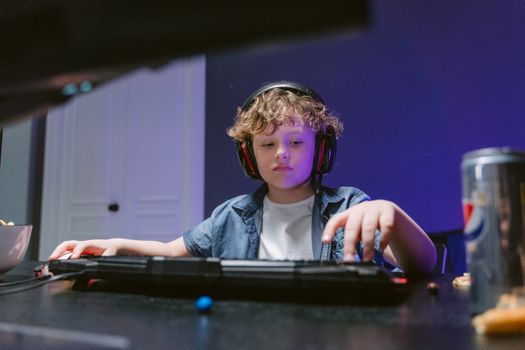
Online gaming is more popular than ever, with an estimated 2.7 billion gamers worldwide in 2023, and a significant portion of them are children and teenagers. As games become more immersive and social, young players are exposed to a wide range of interactions, communities, and potential risks. While online gaming offers undeniable benefits—like improved cognitive skills, collaboration, and entertainment—it also opens doors to cyberbullying, online predators, scams, and inappropriate content. For parents, ensuring a safe and positive gaming experience for their children is a top priority. This article provides practical, actionable tips and insights to help parents protect their children from the hidden risks of online gaming and foster safe digital habits that last a lifetime.
Understanding the Risks of Online Gaming for Children
Before you can effectively protect your child, it’s crucial to understand the unique risks associated with online gaming. According to a 2022 report by the Entertainment Software Association, 71% of children in the U.S. play video games, and over 60% play online with others. Here are the most common dangers your child might encounter:
- $1 Nearly 41% of young gamers have experienced bullying or harassment from other players, according to a 2021 Pew Research Center study. - $1 Multiplayer games can sometimes become breeding grounds for predators seeking to make contact with vulnerable children. - $1 Many games include chat features, user-generated content, or even explicit material that is not age-appropriate. - $1 Children may be lured into clicking on suspicious links or sharing personal information in exchange for in-game rewards. - $1 The immersive nature of gaming can sometimes lead to unhealthy habits or even gaming disorder, which the World Health Organization recognized as a medical condition in 2018.Recognizing these dangers is the first step toward effective prevention and the creation of a healthy gaming environment.
.png)
Setting Up Parental Controls and Privacy Settings
Parental controls are your first line of defense when it comes to online safety. Most modern gaming consoles, PCs, and mobile platforms offer robust tools designed to help parents manage what their children can see and do online. Here’s how to use them effectively:
- $1 Xbox, PlayStation, Nintendo Switch, and PC platforms all have built-in parental controls. These allow you to set playtime limits, restrict access to certain games based on age ratings, and manage who can interact with your child online. - $1 Many popular games, such as Fortnite, Roblox, and Minecraft, provide their own privacy and parental control settings. You can disable in-game chat, restrict friend requests, and monitor communication. - $1 Both iOS and Android offer parental controls for apps, purchases, and screen time. Set up Family Sharing or Google Family Link to keep tabs on gaming activity.The table below compares the top parental control features across major gaming platforms:
| Platform | Time Limits | Content Restrictions | Chat Controls | Purchase Controls |
|---|---|---|---|---|
| Xbox | Yes | Yes (by age) | Yes | Yes |
| PlayStation | Yes | Yes (by age) | Yes | Yes |
| Nintendo Switch | Yes | Yes (by age) | Limited | Yes |
| PC (Windows) | Yes (via Family Safety) | Yes | Varies by game | Yes |
| Mobile (iOS/Android) | Yes | Yes | Varies by app | Yes |
Regularly reviewing and updating these settings is essential, especially as your child’s interests and gaming habits evolve.
Teaching Children Smart Online Behavior
While technical safeguards are important, teaching your children to recognize and respond to risks is equally vital. Kids should understand that online interactions are real and that their digital actions can have lasting consequences. Here are some key lessons to share:
- $1 Children should avoid sharing their real names, addresses, school names, or any identifying details with people they meet online. Explain the dangers of oversharing, even with people who seem friendly. - $1 Teach your child to spot red flags, such as unsolicited friend requests, requests for personal information, or offers that seem too good to be true (like free in-game currency). - $1 Every gaming account should have a strong, unique password. Encourage your child to avoid using the same password across multiple platforms or accounts. - $1 Show your child how to report bullying, harassment, or inappropriate content within games or platforms. Blocking suspicious users is often just a click away. - $1 Warn your child about phishing attempts—scams that try to get them to click on dangerous links or download malicious files.A 2023 survey by Norton found that 58% of parents who discussed online safety with their children saw a decrease in risky behavior. Open communication makes a measurable difference.
Monitoring and Maintaining Open Communication
Active parental involvement is a proven way to reduce online risks. According to a 2021 report by the Family Online Safety Institute, children whose parents regularly discuss online safety are 33% less likely to experience negative incidents. Here’s how to stay engaged:
- $1 Spend time gaming with your child. This not only helps you understand the games they play but also gives you an opportunity to model good digital citizenship. - $1 Regularly ask your child about their gaming experiences—what games they enjoy, who they play with, and whether they’ve encountered anything upsetting. - $1 Many consoles and games provide activity logs that show recent play sessions, friends lists, and chat histories. Review these together and talk about any concerns. - $1 Involve your child in setting rules for gaming time, spending, and online interactions. Kids are more likely to follow rules they helped create. - $1 Make sure your child knows they can come to you if something feels wrong or uncomfortable. Reinforce that their safety is your priority.Ongoing conversations help children build confidence in handling online challenges and foster trust, making them more likely to approach you with concerns.
Choosing Safe Games and Age-Appropriate Content
Not all games are created equal when it comes to safety. The Entertainment Software Rating Board (ESRB) and Pan European Game Information (PEGI) provide age ratings for games, known to 92% of parents according to a 2022 ESRB survey. Here’s how to select games that are right for your child:
- $1 Always look for the ESRB or PEGI rating before purchasing or downloading a game. These ratings indicate age-appropriateness and flag potentially concerning content like violence, language, or online interactions. - $1 Some games have more positive, well-moderated communities than others. Read reviews, join parent forums, or check Common Sense Media for insights. - $1 Some games, like Minecraft and Animal Crossing, offer comprehensive parental controls and are designed with younger audiences in mind. - $1 Games with in-app purchases, loot boxes, or gambling-like mechanics can pose financial and psychological risks for children. Set spending limits or disable purchasing features where possible.By taking a proactive approach, you can ensure your child’s gaming experiences are both fun and safe.
Balancing Gaming with Healthy Habits
Online safety isn’t just about avoiding harm; it’s also about fostering balanced, healthy habits. Excessive gaming can impact sleep, academic performance, and physical health. The American Academy of Pediatrics recommends no more than 1-2 hours of recreational screen time per day for children aged 6 and older. Here are tips for maintaining a healthy balance:
- $1 Use parental controls or family agreements to cap daily or weekly gaming time. - $1 Encourage regular breaks for exercise, outdoor play, and other hobbies. - $1 Ensure gaming does not interfere with bedtime. Blue light from screens can disrupt sleep patterns, so set a cutoff time at least an hour before bed. - $1 Watch for signs of gaming-related stress, frustration, or withdrawal from offline activities.A 2020 study published in JAMA Pediatrics found that children who followed screen time guidelines had better academic performance and higher well-being scores.
Final Thoughts on Safeguarding Children in Online Gaming
Online gaming offers incredible opportunities for fun, learning, and connection. But as the statistics show, the risks are real and evolving. By combining technical safeguards, open communication, and smart digital habits, parents can empower their children to enjoy gaming safely. Regularly review settings, stay engaged, and create a home environment where your child feels comfortable talking about their online world. With vigilance and partnership, online gaming can be a positive, enriching experience for the whole family.