Game streaming has exploded into the mainstream, captivating millions of viewers and creators worldwide. Whether you dream of building a community around your favorite games, want to share your gaming skills, or simply wish to understand what all the hype is about, this guide will walk you through the essentials of game streaming. From setting up your first stream to understanding the platforms, hardware, and community culture, here’s everything you should know about game streaming as a beginner.
The Rise of Game Streaming: Why It’s So Popular
In less than a decade, game streaming has gone from a niche hobby to a global entertainment powerhouse. Platforms like Twitch, YouTube Gaming, and Facebook Gaming regularly attract over 2.5 million concurrent viewers. In 2023, Twitch alone reported over 7.1 million active streamers per month and more than 1.6 billion hours watched per month. So, what’s fueling this rapid growth?
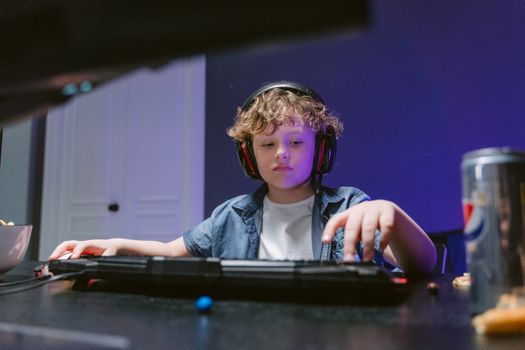
Game streaming blends live entertainment, social interaction, and gaming culture. Unlike traditional gaming, where play is private or limited to local multiplayer, streaming lets gamers broadcast their gameplay in real time to a global audience. Viewers can chat, ask questions, and even influence gameplay decisions. Streamers become entertainers, educators, and influencers, building loyal communities around their personalities and favorite titles.
.png)
The rise of esports, improvements in internet speeds, and the COVID-19 pandemic’s boost to at-home activities have all contributed. Today, game streaming is not just a pastime; for some, it’s a viable career path with the potential for sponsorships, ad revenue, and brand deals.
Essential Hardware and Software for Game Streaming
Before you broadcast your first session, you’ll need the right equipment and software. While you don’t have to break the bank, even basic streaming requires a few essentials:
1. $1: For PC streaming, a computer with at least an Intel i5/Ryzen 5 processor, 8GB RAM, and a dedicated graphics card is recommended. Console gamers (on PlayStation or Xbox) can also stream directly, but with fewer customization options. 2. $1: Streaming requires significant upload bandwidth. Experts recommend at least 5 Mbps upload speed for 720p streaming and 8 Mbps for 1080p. According to Ookla’s 2023 data, the average US upload speed is now about 25 Mbps, but speeds vary widely by location. 3. $1: Good audio quality is crucial. Entry-level USB microphones like the Blue Yeti or HyperX QuadCast are popular. Most streamers use external webcams for a clear video feed, though built-in laptop cams can suffice for beginners. 4. $1: Open Broadcaster Software (OBS) Studio is the industry standard and free to use. Alternatives like Streamlabs OBS and XSplit offer extra features and user-friendly interfaces. 5. $1: A green screen for background effects, stream decks for quick scene changes, and ring lights for better lighting can enhance your broadcast, though they’re not required to get started.Choosing the Right Platform: Twitch, YouTube, or Facebook?
Where you stream matters. Each major platform has unique features, communities, and monetization options. Here’s a side-by-side comparison to help you choose:
| Platform | Monthly Active Users | Monetization Options | Best For | Unique Features |
|---|---|---|---|---|
| Twitch | 140 million+ | Subscriptions, Bits, Ads, Sponsorships | Live interaction, gaming-first audiences | Extensions, raids, emotes, large gaming community |
| YouTube Gaming | Over 2 billion (YouTube-wide) | Ads, Super Chat, Memberships | VOD content, multi-genre creators | Easy video archiving, discoverability via search |
| Facebook Gaming | Over 350 million (Facebook-wide) | Stars, subscriptions, ads | Mobile-friendly, built-in social network | Integrated with Facebook friends, easy sharing |
Twitch remains the go-to for gaming live streams, especially if you’re targeting a young, dedicated gaming audience. YouTube Gaming is excellent for creators who want both live and pre-recorded content, while Facebook Gaming leverages the world’s largest social media audience, making it easier to bring in friends and family as viewers.
Building Your Channel and Attracting Viewers
Going live is only the first step. Growing your channel requires consistency, engagement, and a bit of creativity:
- $1: Set a regular schedule. Top streamers often stream 4-5 times per week for several hours per session. Consistency helps viewers know when to tune in. - $1: Respond to chat, ask questions, and acknowledge newcomers. Streamers who interact with their audience retain viewers longer—Twitch data shows that channels with high chat interaction can double their average watch time. - $1: Use custom overlays, alerts, and panels to make your channel memorable. Even simple graphics created with free tools like Canva can elevate your stream’s professional look. - $1: Streaming highly saturated games like “Fortnite” or “Minecraft” can make it hard to stand out. Try streaming niche or trending games with smaller but dedicated audiences. - $1: Share stream highlights, schedules, and clips on platforms like Twitter, Instagram, and Discord. Networking with other streamers can also help you grow faster.Understanding Streaming Etiquette and Community Guidelines
Game streaming is not just about playing games—it’s about building a positive, inclusive community. Most platforms have strict community guidelines to foster safe environments. Here’s what you need to know:
- $1: Avoid hate speech, harassment, or sharing inappropriate content. In 2023, Twitch issued over 2 million enforcement actions for guideline violations. - $1: Use chat bots or assign moderators to filter spam, offensive language, and disruptive users. - $1: Playing copyrighted music or streaming unauthorized content can lead to bans or demonetization. Use royalty-free music or platform-approved tracks. - $1: Audiences value streamers who are genuine, friendly, and respectful. Toxicity or drama might get short-term spikes in attention but rarely leads to long-term growth.Monetizing Your Game Streaming Journey
While many start streaming as a hobby, some turn it into a side income—or even a full-time career. Here are the most common ways streamers earn money:
- $1: Platforms like Twitch and YouTube offer ad revenue sharing and paid subscriptions. Twitch Affiliates, for example, can earn $2.50 per subscription, and in 2022, top creators made over $100,000 annually from subscriptions alone. - $1: Viewers can send tips or “bits” (virtual cheers), often highlighted in chat during streams. - $1: As your audience grows, brands may approach you for sponsored streams or product placements. - $1: Selling branded t-shirts, mugs, or digital goods can supplement your income. - $1: Promote products using unique affiliate links to earn commissions on sales.Keep in mind that building a profitable channel takes time—according to a 2023 Streamlabs report, only about 2% of streamers reach partner status where substantial income is possible. Most streamers do it for fun and community, with earnings as a bonus.
Common Challenges and How to Overcome Them
Streaming is rewarding but comes with hurdles:
- $1: Long hours and pressure to “always be live” can lead to fatigue. Set boundaries, take breaks, and maintain a healthy work-life-stream balance. - $1: Lag, audio dropouts, or software crashes are common. Test your setup before going live, and keep backup plans ready. - $1: Most channels grow slowly at first. Celebrate small milestones, seek feedback, and focus on improving your content. - $1: Unfortunately, internet negativity exists. Use moderation tools and don’t hesitate to ban disruptive users.Final Thoughts on Starting Your Game Streaming Adventure
Game streaming is more accessible than ever, with free tools, supportive communities, and platforms competing for your attention. While the landscape is competitive, it’s still possible to carve out your own space, share your passion, and maybe even turn it into a rewarding side gig or career.
Remember: Start small, focus on having fun, and don’t be discouraged by slow progress. Every big streamer began as a beginner. With time, consistency, and authenticity, you’ll find your audience and enjoy the unique rewards of being part of the global streaming community.